
Noah Reed
23 Sept 2026
How Roaming Charges Add Up and How to Avoid Them
You land, turn off Airplane Mode, and your phone reconnects before you've even left the airport.
A map loads. Email starts syncing. Photos begin backing up. None of that feels expensive. But if your home carrier charges for roaming by the megabyte, minute, message, or day, the bill can grow faster than you'd expect.
Roaming charges can come from mobile data, calls, texts, daily roaming passes, overages, and special networks. The total depends on your carrier, destination, and roaming plan.
Using a travel eSIM such as eSIMCard can help you avoid home-carrier data roaming when your phone is set up correctly.
But your home SIM can still create call, SMS, or other carrier charges if you continue using it abroad.
In this guide, you'll learn how roaming charges add up through mobile data, calls, texts, daily passes, and background activity, plus practical ways to avoid unexpected fees while traveling abroad.
4.9

Highly Rated
Based on 500,000+ customer reviews

Trusted worldwide
Over 1 million travelers across the globe have trusted us

Travel Friendly
No swaps, global connectivity ensured
What Are Roaming Charges?
Roaming charges are fees your mobile carrier may apply when your phone uses another network outside its normal coverage area.
Your home carrier doesn't usually own the network you're connecting to abroad. Instead, it has an agreement with a local or visited network.
Your phone connects to that network, you use data, calls, or texts, and your home carrier bills you according to its roaming terms.
The pricing can work in several ways. Some plans charge by usage. Others use a daily roaming pass. Some include international roaming in your normal allowance.
That's why two travelers standing in the same airport can end up with very different bills.
How Do Roaming Charges Add Up?
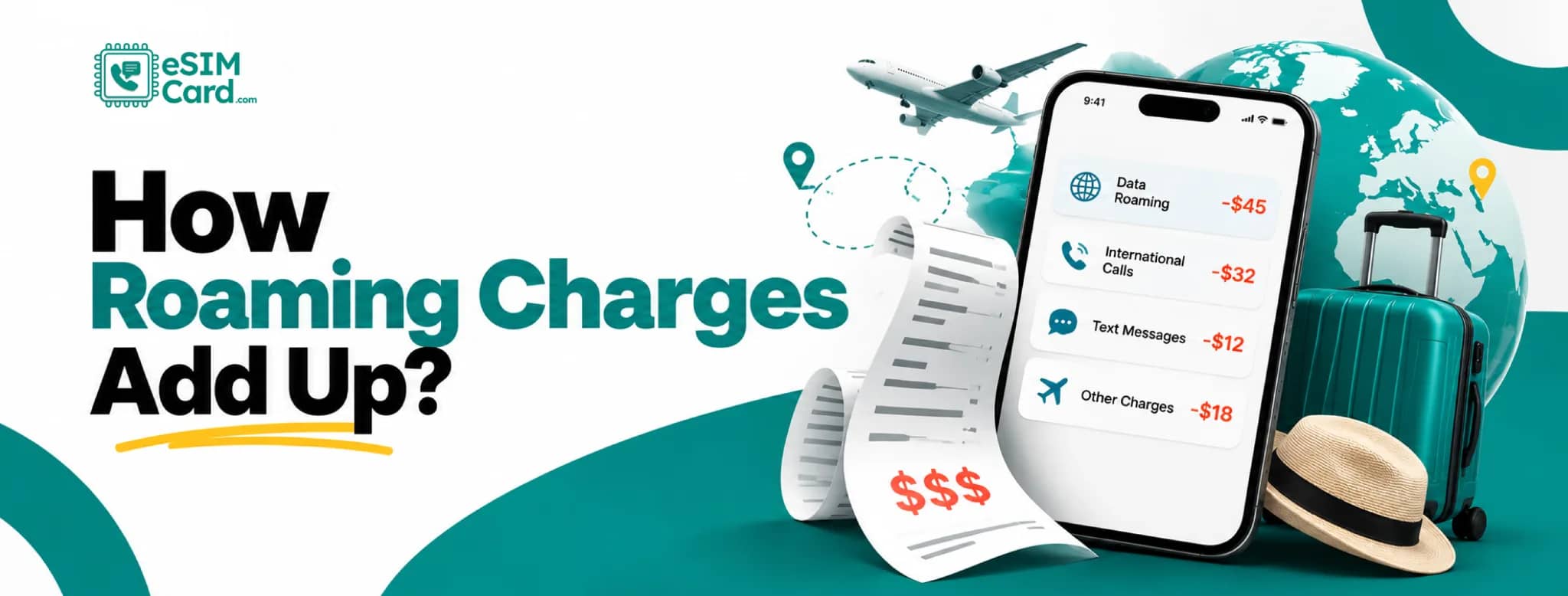
Roaming charges build when your carrier bills international usage by data volume, call minutes, messages, daily access, or overage.
The basic calculation looks like this: Roaming bill = data charges + call charges + SMS charges + daily pass fees + overage + special network fees
A small charge may not look serious on its own. The problem starts when several types of usage happen together.
You might use maps, receive a call, send a few texts, trigger a daily roaming pass, and let your photos back up in the background.
Each activity can add another piece to the bill.
Why Mobile Data Can Make Roaming Bills Grow Fast
Mobile data is one of the easiest ways to run up data roaming costs under pay-per-use pricing. .
A map refresh uses data. So does Instagram, email, cloud storage, YouTube, WhatsApp attachments, and almost every app that pulls fresh information from the internet.
Video is the big one. Streaming, video calls, cloud backups, and uploading large files can consume far more data than basic messaging.
Even apps that look harmless can keep using data throughout the day. If your carrier bills roaming by the MB, every bit of that activity can matter.
Can Background Apps Cause Roaming Charges?
Yes. Apps can use roaming data even when you're not actively using your phone.
Your screen might be off while your phone is still syncing email, downloading messages, backing up photos, or refreshing apps.
Common background usage includes:
- Email and push notifications
- Cloud photo backup
- App refresh and social feeds
- Software and app updates
- Messaging attachments
- File syncing
This is why some travelers are surprised by roaming usage even when they say, I barely used my phone.
The phone did. Before traveling, check your background data settings and pause anything you don't need on mobile data.
Do Calls and Texts Add Roaming Charges?
They can. Your carrier may price roaming calls and messages separately from mobile data.
Outgoing calls are the obvious one. But incoming calls can also cost money under some roaming plans.
SMS rules vary too. Receiving texts is often free, while sending them may be chargeable if they're not included in your roaming package.
Apps such as WhatsApp or FaceTime use internet data instead of normal voice minutes. If that data is coming through roaming, it can still cost money.
Can Voicemail Add Roaming Charges?
Yes, depending on your carrier. A call you don't answer may be forwarded to voicemail. That process can involve roaming voice routing under some carrier plans.
Calling your voicemail box from abroad may also create voice charges. Carrier rules differ a lot here.
Before traveling, check how your provider handles unanswered calls and voicemail while roaming.
If you don't need voicemail abroad, changing its settings before departure may save you from a charge you never expected.
Daily Roaming Pass vs Pay-Per-Use: Which Costs More?
It depends on how long you're traveling and how much you use your phone.
A daily pass is easier to understand. If your carrier charges a fixed amount each day you use roaming, the maths is simple.
Imagine a hypothetical $10 daily pass. Seven active days would cost $70. That's only an example. Actual carrier prices vary.
Pay-per-use can be harder to predict because the total depends on what you do.
A few emails might be cheap. Video uploads, calls, and maps running all day can push the total much higher.
Example of How a Roaming Bill Can Add Up
Suppose a traveler has a roaming plan that charges a daily fee whenever international use is detected.
A seven-day trip could mean seven daily charges. Now add an uncovered international call or data usage beyond the plan's allowance.
The total rises again. With pay-per-use, the pattern is different. Imagine data is billed by each MB used. A map session, app refresh, cloud backup, and social-media browsing can all add to the same bill.
The point isn't that one billing model is always worse. It's that you need to know what triggers the charge before you use the phone abroad.
Can You Get Roaming Charges Without Actively Using Your Phone?
Yes, in some cases. Your phone can generate billable usage without you tapping the screen.
Background email, photo backups, app sync, and automatic updates are common examples. Your home SIM can also remain connected to a visited network.
That connection alone doesn't always mean you are being billed. There usually needs to be chargeable activity under your carrier's rules.
But settings such as automatic data switching can create that activity without making it obvious.
Voicemail can also become part of the picture if incoming calls are routed through a roaming network.
How Dual SIM Can Accidentally Trigger Roaming Charges
A travel eSIM doesn't automatically stop your home SIM from roaming. That's where some people get caught.
You might install eSIMCard correctly and still leave your home SIM selected for mobile data. Or your iPhone may switch back to the home line when the travel eSIM has a weaker signal.
For a safer setup:
Home SIM
- Keep it active only if you need calls, texts, or OTPs
- Keep Data Roaming off
- Don't select it as the mobile-data line
Travel eSIM
- Set it as the preferred mobile-data line
- Follow the plan's roaming instructions
- Check coverage before travel
On iPhone, also check Allow Cellular Data Switching. If it's on, your phone may use another line for data under certain conditions.
Can Roaming Charges Happen Near a Country Border?
Yes. Your phone usually tries to connect to the strongest available network. Near an international border, that network might be located in the neighboring country.
If your normal plan doesn't cover the neighboring network, roaming can begin even though you haven't intentionally crossed the border.
This can happen while driving near border regions or staying close to a neighboring country. If you're in an area where this is a risk, check the network name shown on your phone.
Manual network selection can also help stop the phone from jumping to an unwanted network.
Why Cruise Ship and Airline Roaming Can Be Expensive
Cruise and airline cellular networks are different from normal mobile towers on land. They may rely on satellite-backed connections and use separate pricing.
Your normal roaming package may not cover them. That's where costs can become ugly very quickly.
If you're on a cruise or flight, check the carrier's rules before leaving cellular service on. Airplane Mode with onboard Wi-Fi can be a safer option when you don't need cellular service.
And don't assume a roaming plan that works in the destination country also covers the ship or aircraft getting you there.
Are Roaming Charges Free in Europe?
Not for everyone. Eligible EU and EEA customers can generally use their domestic mobile allowance across participating countries under the Roam Like At Home rules, subject to fair-use limits.
Ukraine and Moldova joined this framework from January 1, 2026. But this doesn't mean every traveler gets free roaming in Europe.
If your home carrier is based in the United States, Pakistan, Canada, or another non-participating country, your own carrier's roaming rules still apply.
Check your plan before assuming Europe is covered. That distinction matters.
For example, travelers visiting the US can choose a United States eSIM instead of relying on their home carrier's international data roaming.
How to Avoid Roaming Charges
You don't need to switch your phone off for the whole trip. A few settings and some planning can cut the risk dramatically.
- Check your home carrier's roaming policy before departure.
- Keep Data Roaming off on your home SIM if you don't need it.
- Use a travel eSIM or local SIM for mobile data.
- Turn off automatic cellular data switching when appropriate.
- Use trusted Wi-Fi for large downloads and streaming.
- Pause background app updates and cloud backups.
- Download maps, music, and entertainment before traveling.
- Watch carrier alerts and usage in your provider's app.
The key is deciding which connection handles your data before you land.
Does Airplane Mode Stop Roaming Charges?
Airplane Mode stops normal cellular connections while it is active.
That means your phone won't use ordinary mobile data, cellular calls, or SMS through the carrier network.
You can normally turn Wi-Fi back on manually after enabling Airplane Mode. This is useful when you want internet access through hotel, airport, or onboard Wi-Fi without leaving cellular service active.
Just remember that if you switch cellular service back on later, your normal roaming settings apply again.
Can Wi-Fi Help You Avoid Roaming Charges?
Yes, for internet data. When your phone is using Wi-Fi, your browsing, messaging, and app traffic can go through that Wi-Fi connection instead of mobile data.
That doesn't mean every possible carrier charge disappears. Your cellular line can remain active for calls and texts.
Wi-Fi Calling also follows your carrier's own rules, so don't assume every Wi-Fi call abroad is free.
Public Wi-Fi has another issue: security. Avoid logging into sensitive accounts on unknown networks unless you trust the connection.
Can an eSIM Help Avoid Roaming Charges?
A travel eSIM can help you avoid home-carrier data roaming when it is selected as your mobile-data line.
You buy a prepaid data plan for your destination and use that line for internet access abroad. Your home SIM can stay active if you still need your number.
If you're new to international eSIMs, learn how to use an eSIM internationally before your trip.
But the settings matter. If your home SIM keeps Data Roaming on, handles calls, or becomes the active data line, your home carrier may still bill you.
So an eSIM doesn't magically erase every roaming fee. It gives you another data connection that can replace home-carrier roaming when configured properly.
How to Use eSIMCard Without Triggering Home-Carrier Data Roaming
You can buy an eSIM before your trip and set up eSIMCard while you still have reliable Wi-Fi, then check the plan's activation details before departure.
Once you arrive, set eSIMCard as your mobile data line. Keep Data Roaming off on your home SIM unless you specifically need it.
On a Dual SIM phone, turn off automatic data switching if you don't want the phone falling back to your home line.
Some eSIMCard travel plans may require roaming on the eSIMCard line to connect to partner networks.
That's fine. The key is keeping the two lines separate: Home SIM roaming off, travel eSIM data on according to plan instructions.
You can then use maps, messaging, rideshare apps, email, and other online services through your travel eSIM.
Roaming vs Travel eSIM vs Local SIM
There isn't one option that fits every trip.
Carrier roaming may be the easiest because you keep using your existing service. A travel eSIM gives you more control over data spending before the trip.
For a closer cost and setup comparison, see how eSIM vs roaming differs for international travel.
A local SIM can work well for longer stays, especially when you need local voice service. Wi-Fi is useful, but you can't rely on it everywhere.
For travelers who want mobile data ready soon after landing, an eSIMCard travel plan can be installed before departure and used alongside the home SIM on supported phones.
Avoid Bill Shock on Your Next Trip
The best time to think about roaming is before your plane leaves.
Check your home carrier's rates, turn off the settings you don't need, and choose how you'll get mobile data abroad.
If you're using eSIMCard, install your plan before travel and set it as your data line after arrival.
Then watch your home SIM settings, keep an eye on usage, and let your trip take your attention instead of your phone bill.
Conclusion
Roaming charges can add up through mobile data, calls, texts, daily passes, background apps, and other billable activity.
Before traveling, check your carrier’s roaming rates and make sure you know which SIM is handling your mobile data.
A travel eSIM gives you more control over your data costs abroad. With eSIMCard, you can choose a prepaid plan for your destination, install it before your trip, and use it as your mobile data line after arrival.
Keep Data Roaming off on your home SIM, check your travel eSIM settings, and monitor your usage.
A few minutes of setup before departure can help you stay connected without coming home to an unexpected roaming bill.
FAQs
How Do Roaming Charges Add Up?
Roaming charges can come from mobile data, calls, messages, daily passes, overages, and special networks. The final amount depends on your carrier, destination, and roaming plan.
Can Background Apps Cause Roaming Charges?
Yes. Email sync, cloud backup, social apps, and updates can use mobile data while you're not actively using the phone.
Does Receiving a Call Cost Money While Roaming?
It can. Some carriers charge for incoming roaming calls, while others include them in a roaming package.
Does Receiving SMS Cost Money While Roaming?
Often not, but carrier rules differ. Sending SMS abroad is more commonly billed when it isn't included in your roaming plan.
Does Airplane Mode Stop Roaming Charges?
Airplane Mode turns off normal cellular connections while it's active, so your phone won't use mobile roaming unless cellular service is turned back on.
Can I Use Wi-Fi Without Roaming Charges?
Yes, for internet data. Your apps can use Wi-Fi instead of cellular data, but carrier rules for calls and Wi-Fi Calling can still apply.
Can an eSIM Prevent Roaming Charges?
A travel eSIM can help prevent home-carrier data roaming when it's selected for mobile data and your home SIM is configured correctly.
Does a VPN Stop Roaming Charges?
No. A VPN changes how your internet traffic is routed, but it doesn't stop your phone from using cellular data on a roaming network.