
Lucas Frost
17 Oct 2026
What Is Fair Usage Policy (FUP)? eSIM Data Limit Explained
You have arrived in a new country, opened up Google Maps and tried to send a video to a friend. Everything is loading wrong. Your eSIM is still showing you are connected but your internet is painfully slow.
Perhaps a Fair Usage Policy (FUP) would explain something. On some plans, once you use a certain amount of high-speed data, your data speed may be reduced. Others have different restrictions, depending on the terms.
This can be surprising for travelers, especially if they have bought an unlimited data plan. Unlimited does not always mean unlimited high speed internet.
In this article, you will learn about how to check a few details before buying. Let's go over how FUP works, what happens when you hit a usage limit and how to choose an eSIM for your trip.
4.9

Highly Rated
Based on 500,000+ customer reviews

Trusted worldwide
Over 1 million travelers across the globe have trusted us

Travel Friendly
No swaps, global connectivity ensured
What Is a Fair Usage Policy (FUP)?
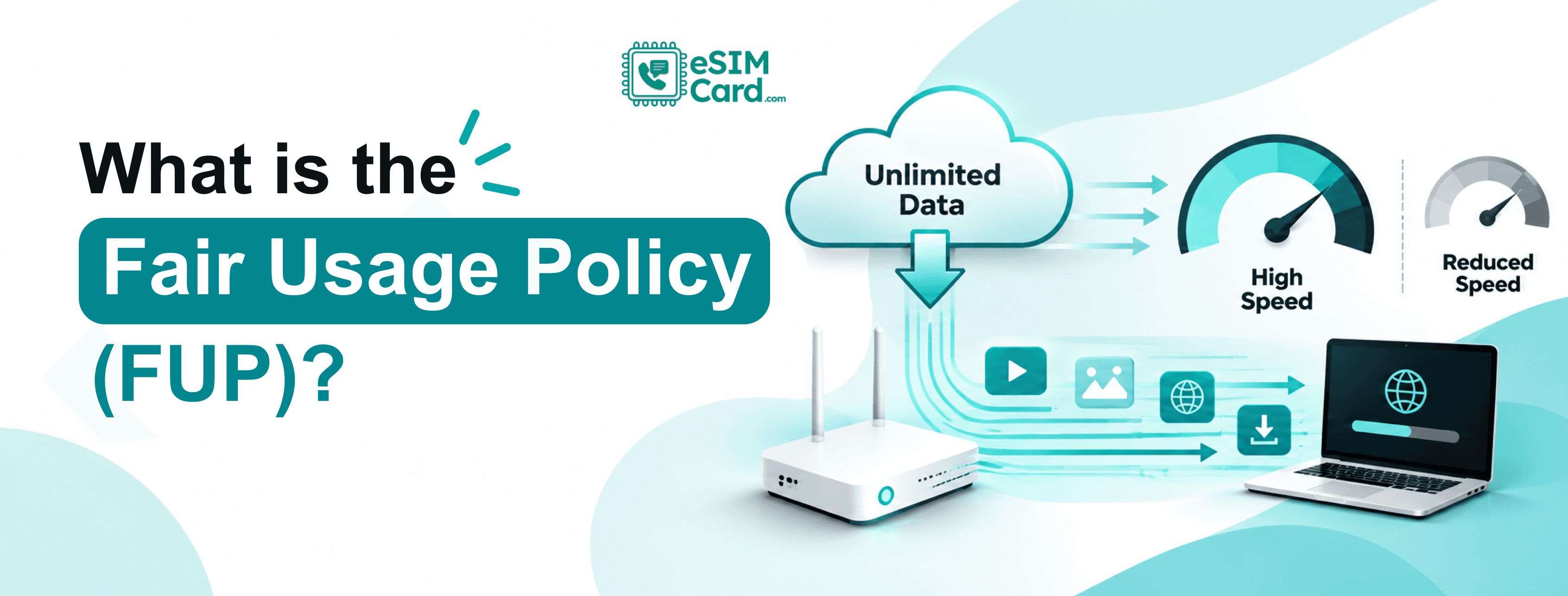
FUP restricts the way a service can be used. It can be used by mobile providers to manage or restrict heavy data usage, shared network resources or certain activities.
If you are a traveler searching for an eSIM with unlimited data, a FUP can be important. A plan might allow you to keep using mobile data but at a reduced speed after you hit a certain limit.
Fair usage policy is a set of rules that come with a service explaining what you can use the service for and what you cannot. The specific rules vary by provider and plan.
Say you are using a travel eSIM with 2 GB high speed data per-day. You spend that allowance on a morning of video calls, social media and streaming. If your plan says that speeds will be reduced after 2 GB, then your connection might get slower for the rest of the day.
Not every eSIM is arranged this way. Some plans offer you daily high speed limits while others give you a set amount of data for the entire validity period.
Some providers may have other restrictions in place as part of their acceptable use terms. FUP does not automatically become a legal requirement for any mobile plan. That's a policy that depends on the service and the rules that apply.
Why Mobile Providers Use FUP
The capacity of mobile networks is limited. Performance can suffer when lots of people are connecting to the same network such as busy airports, city centers or tourist spots.
Providers have different policies for managing network resources and defining how customers may use their services.
Top 3 reasons a FUP applies.
- Network management: Providers may limit usage or apply traffic shaping to manage heavy demand.
- Plan conditions: A plan can have a specified high speed allowance, a daily limit or restrictions on certain activities.
- Acceptable use: Terms may restrict activities like unauthorized resale or activities that disrupt the service or network.
These rules do not mean that every heavy user will automatically get slower internet. Network congestion affects speeds, regardless of a FUP.
For example, even if you have used very little data, your eSIM might run slowly at a crowded festival. Sometimes you may notice your speed drops even with a strong signal, after you've reached a published allowance.
These are different issues. It’s much easier to fix something when you know what you are working with.
If your connection is slow or unreliable even before reaching a data limit, check our eSIM troubleshooting guide for other possible causes.
How FUP Works On Travel eSIMs?
A travel eSIM connects your compatible device to the mobile networks your plan supports. Your connection may be via a local network or a roaming partner depending on the arrangement with your provider.
The applicable FUP is specific to the plan. There isn't a universally applicable threshold for any destination/provider.
Here’s an example of how a daily high-speed allowance plan might work:
- You set up and activate the eSIM following the provider’s instructions.
- You use mobile data at the speed allowed by your plan.
- You reach the plan's daily high speed cap, if one exists.
- your speed is reduced or another restriction described in its terms is imposed by the provider.
- Your allowance resets on the schedule stated or you might need a top-up or a different plan.
Choose two different plan formats. You could have a daily high speed allowance that refreshes each day. Another may say 10 GB for a period of seven days, with no daily limit specified.
These plans are different. Just because you have hit a daily limit does not mean you are out of data. If you use all your data on a fixed-data plan, you may also be left with no data included until you top up or buy another plan.
Even if your phone says you are on 4G or 5G, you might still have poor internet performance. These labels indicate the type of network connection, not the actual download speed you can expect.
Data Caps vs Throttling vs FUP
You will see these terms used together a lot but they don’t mean the same thing. Knowing the differences helps you to make better comparisons between eSIM plans.
A throttling rule might be part of a FUP, but the two terms are not interchangeable. Speed throttling is what happens to speed . FUP is a policy .
A whole other thing is a data cap. After using the included data, the provider may suspend data access, provide a top-up or impose another condition. That doesn’t mean a cap equals an instant disconnect.
Both are different from network congestion. Heavy demand on the local network can slow your connection, even if you haven't hit a usage threshold.
When reading the details of the plan, look for the actual outcome and not the labels. Unlimited data and high speed data can be described as different parts of the same plan.
When you reach your FUP limit, what happens?
What happens next depends on the terms of the plan. Your provider may slow your speed, restrict certain uses or take other action as stated in the Terms of Service.
Some plans allow data to be used at slower speeds. Others may have different data limits, top-up requirements or service limitations. Day-to-day activities can feel different at lower speeds.
Here’s what you might see.
These are just general examples, not guaranteed results at a specific pace. Performance depends on latency, signal strength, network conditions, app requirements.
And the reset period is important as well. Some plans have a daily reset, some have other periods and some have no daily high-speed allotment. Never assume that the limit resets at midnight or precisely 24 hours after activation.
Make sure that the plan automatically renews to full speed data, needs topping up or expires before your trip is over.
Unlimited and Fixed Data eSIM Plans
Both unlimited eSIM and fixed-data eSIM can be useful. The right answer is what you do with your phone and what happens after any applicable limit.
If you're traveling across multiple countries, explore our Global eSIM plans and compare the available data allowances, speed limits, and validity periods.
What kind of plan fits your travel style?
Messaging, browsing and the odd navigation may fit comfortably into a fixed-data allowance for a short holiday. You should download offline maps before you leave your hotel to save data usage.
If you are the type of person who spends hours watching videos or uploading content, you need to check how much high-speed data comes with the unlimited plan. Unlimited alone doesn’t tell you if streaming will remain comfortable.
Video meetings, cloud backups and laptop downloads are areas remote employees should be especially aware of. Some of these activities can eat up a lot of data and a reduction in speed could cut off a meeting.
Another thought for hotspot users. A plugged in laptop or tablet can cause the meter to spin quickly, especially if background updates are set to automatic. Some plans also restrict tethering or have different terms for hot spots.
If your plan allows tethering, learn how to set up an eSIM hotspot on iPhone or Android before your trip.
Compare the actual terms and the total cost before you decide. No plan is inherently cheaper or better for every traveler.
If you're unsure which allowance suits your trip, our guide on how much data you need for travel can help you estimate your usage.
How to Check an eSIM’s FUP Before You Buy
Review the terms for a few minutes and you’ll avoid an unpleasant surprise halfway through your trip.
Check these details before paying:
- Find the acceptable use policy or FUP for the product.
- Please confirm if the allowance is per day or for the entire plan.
- It gets you how much high speed data.
- Determine the reduced speed or other restriction above the threshold.
- See if the allowance resets, and if so, when it resets automatically.
- Check the conditions of the hotspot, validity, top-up and destination coverage.
- If any important term is not clear, contact customer support
- Here’s a very simple hypothetical example. For example, a plan might offer 2 GB of high-speed data daily, then throttle speeds for the rest of the mentioned time.
- If you consume 1.5 GB, you haven’t crossed that illustrative threshold. If you use 2.5 GB, then you are over by 0.5 GB. What happens next depends on the conditions published in the plan.
- Like for example the figure of 2 GB. It’s not an industry-wide standard or a confirmed policy on eSIMCards.
Before you buy through eSIMCard, read the terms for the exact destination and plan you are considering. If high speed allowance or reduced speed is not clearly indicated, ask for clarification before relying on it for work or streaming.
For example, travelers can compare fixed-data and unlimited options on our United States eSIM page, including any applicable speed limits and hotspot conditions.
How to Cut Down Data Usage and Prevent Slowdowns
You do not control all network conditions but you do control a lot of your phone’s data use.
You should download offline maps before you go, especially if you are visiting multiple cities or traveling through areas with patchy coverage.
Saving map areas enables Google Maps and other navigation apps to use them without repeatedly downloading them.
- Try these habits for everyday saving:
- Stream videos at a lower quality Download shows over Wi-Fi
- Turn off automatic uploading of photos and files on cellular data.
- Don’t install big app and operating system updates until you’re on Wi-Fi.
- Check background data permissions and turn on Data Saver or Low Data Mode.
- Check the data usage on your phone and any usage stats your eSIM provider gives you.
- When you download large files, use a secure Wi-Fi connection and don’t use a hotspot if your plan restricts hotspot usage.
- These steps may stretch your allowance, but they can't guarantee that you won't encounter every slowdown. Your connection can still be affected by FUP, weak signal or busy local network.
Conclusion
Understanding how Fair Usage Policies (FUP), data caps, and throttling work is the single best way to protect yourself from sudden slowdowns and unexpected connectivity loss while traveling.
A plan labeled as unlimited may still carry high-speed daily limits or traffic-shaping terms depending on local network rules.
By reading the fine print checking daily allowances, reset times, and hotspot restrictions you can select a setup that fits your exact travel needs and habits.
Check out eSIMCard to find a transparent, high-speed travel plan for your next international adventure.
FAQs
What is FUP on an eSIM?
FUP stands for Fair Usage Policy. It defines the rules regarding data thresholds, speed reductions, and acceptable network use on an eSIM plan. Specific terms vary by provider.
Does unlimited data mean unlimited high-speed data?
No. Many unlimited plans provide continuous data connectivity but reduce speeds once you exceed a specified high-speed data cap.
What happens if I exceed my fair usage limit?
Your provider may throttle speeds, restrict specific activities, or require a data top-up, depending on the terms of your plan.
Does a fair usage policy reset daily?
Some plans reset high-speed allowances every 24 hours or at midnight local time, while others apply a fixed limit over the total validity period. Always verify the plan’s reset schedule.
Can I use an unlimited eSIM as a mobile hotspot?
It depends on the plan. Some providers support tethering, while others restrict hotspot functionality or set separate data allowances for shared connections.
Can I still use Google Maps if my eSIM speed is throttled?
Yes, but features like live traffic and high-resolution map rendering may load slowly. Pre-downloading offline maps helps maintain performance.
Why is my eSIM slow if I still have data remaining?
Slow speeds can result from network congestion, poor signal strength, device configuration issues, or regional roaming restrictions even if your high-speed quota isn't exhausted.
Does the EU Roam Like at Home policy apply to travel eSIMs?
No. EU fair usage roaming regulations apply to local European mobile network operators and eligible subscriptions, not to commercial third-party travel eSIM providers.