
Lucas Frost
06 Nov 2026
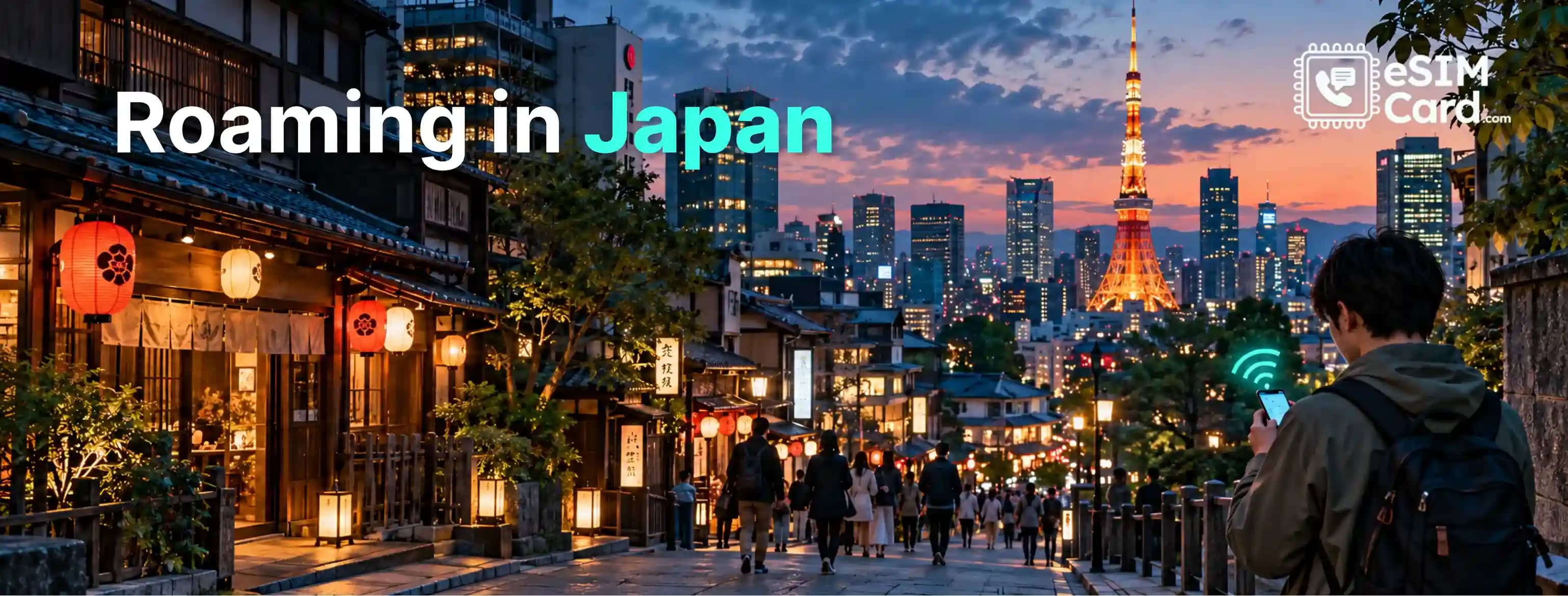
Roaming in Japan: Costs, Plans and How to Avoid Extra Fees (2026)
You land at Narita Airport, switch off airplane mode and open Google Maps. Your phone connects within seconds. Convenient, right? The surprise may come when your next mobile bill arrives.
Roaming in Japan works for many international visitors, but the price depends on your home carrier and mobile plan. Some plans include Japanese roaming. Others charge a daily fee or bill you for each unit of data.
You do not have to use your home carrier's roaming service, either. A prepaid travel eSIM, Japanese SIM card or pocket Wi-Fi device may suit your trip better.
The right choice depends on how long you are staying, how much data you need and whether you must keep your regular phone number active.
In this article, you will learn about best roaming in Japan, how much it costs, how to avoid extra fees and why an eSIM card is a better alternative to a local physical SIM in Japan.
4.9

Highly Rated
Based on 500,000+ customer reviews

Trusted worldwide
Over 1 million travelers across the globe have trusted us

Travel Friendly
No swaps, global connectivity ensured
What does international roaming in Japan mean?
International roaming lets your home SIM connect to a mobile network in another country. In Japan, your carrier uses an agreement with a local operator to provide that connection.
Your home carrier still controls your bill. Japanese networks provide the connection, but your own provider decides the roaming rates and included allowances.
For example, imagine you travel from the United States to Osaka. Your phone connects to a supported Japanese network. Your American carrier then applies its Japan roaming policy.
Calls, text messages and mobile data can have different charges. A plan that includes data may still charge for certain calls or premium services.
A travel eSIM works differently from a traditional home-carrier roaming pass from a billing perspective. It gives you a separate prepaid connection, often for mobile data only. It may still use a partner network to connect.
How much does roaming cost in Japan?
There isn't one fixed Japan roaming rate. Your costs depend on your carrier, subscription and the way you use your phone.
You may have roaming included in your monthly plan. You may need to buy a travel pass. Or you could face pay-as-you-go charges.
Here are examples from published carrier information. Always check your own account before departure because eligibility and prices can change.
Do not treat a carrier's advertised daily price as your guaranteed trip cost. You can check when the pass activates, what counts as usage and whether the allowance resets.
Is roaming free in Japan?
Roaming in Japan is not automatically free. Some mobile subscriptions include international data, while others charge extra.
Your plan's destination list is what matters. Do not assume that a roaming allowance for Europe, Asia or a nearby country automatically covers Japan.
Check the amount of included data, speed restrictions and fair-use rules. Also check whether calls and text messages are included.
If Japan is already covered by your subscription, using that allowance may be your simplest and cheapest option. There is no reason to buy another data plan without comparing the terms.
How to avoid roaming charges in Japan
A few settings can prevent your phone from using the wrong SIM for mobile data. Do this before boarding your flight, not after receiving a roaming notification.
Start by checking whether Japan is included in your current plan. If it is not, compare your carrier's pass with prepaid alternatives.
Then review these settings:
- Turn off data roaming on your home SIM if you do not plan to use its mobile data.
- Choose your travel eSIM as the preferred line for mobile data.
- Disable automatic data switching if your phone might move data back to your home line.
- Pause automatic app updates and cloud photo backups over mobile data.
- Download Google Maps areas, translation languages and travel documents before departure.
- Check your data usage during the trip.
One detail catches people out. Turning off data roaming does not necessarily block every charge. Calls, outgoing texts and some Wi-Fi Calling arrangements may still cost extra.
If you want to avoid all roaming charges on your home number, ask your carrier how to turn off roaming services completely. You may need to turn off the home line or use airplane mode with Wi-Fi, depending on its rules.
Do not turn off data roaming on every SIM without checking first. Some travel eSIMs require roaming to be enabled on their own line. Follow the instructions supplied with that specific plan.
Japan roaming vs eSIM vs SIM card vs pocket Wi-Fi
There are several ways to get online in Japan. The best one depends on your phone, travel group and data habits.
If your trip includes Japan alongside South Korea, Thailand, or other Asian destinations, consider Asia regional eSIM plans that cover your intended countries instead of purchasing separate data packages at every stop.
When your regular roaming plan makes sense
Sticking with your home carrier can be the easiest option. This is especially true when Japan is included in your plan at no extra cost.
It's also useful when you need regular calls and SMS on your existing number. Business travelers may prefer this arrangement if their employer pays the roaming bill. Check the data allowance and speed limits before relying on it.
A plan that includes only a small amount of high-speed data may not suit heavy navigation or video use.
When a travel eSIM makes more sense
A travel eSIM gives you a separate prepaid data allowance. You can keep your home SIM installed while using the travel eSIM for internet access, provided your phone supports dual SIM.
It can be a practical choice for checking train times, using maps, messaging and browsing without paying your home carrier's daily roaming fee.
Most travel eSIMs are data-only. They do not automatically provide a Japanese phone number, regular voice calls or SMS. Apps such as WhatsApp can still work over the eSIM's data connection.
What about airport SIM cards and pocket Wi-Fi?
Narita, Haneda and Kansai airports offer connectivity options for arriving visitors. You can also find SIM cards at electronics retailers and other shops.
Japan's National Tourism Organization explains that visitors can use airport Wi-Fi, purchase SIM cards and rent pocket Wi-Fi devices. It also warns that public Wi-Fi can be patchy in some locations.
The Japan National Tourism Organization's official connectivity guide explains where visitors can find public Wi-Fi, purchase prepaid SIM cards, and rent portable Wi-Fi devices at major airports.
Pocket Wi-Fi is worth considering when several people need internet access. Just remember that everyone depends on one device. If its battery runs out, the group loses its connection.
Stay Connected with eSIMCard in Japan
Your data needs depend on what you do each day. Someone checking maps and sending messages will use far less data than someone streaming video or uploading large files.
Use these figures as planning estimates, not guaranteed usage limits.
A week in Tokyo with occasional sightseeing may need less data than a two-week trip across Tokyo, Kyoto, Osaka and Hokkaido. Long train journeys can also tempt you to watch videos or upload photos.
Before selecting your Japan package, estimate how much data you need for travel based on navigation, social media, video calls, streaming, and your expected access to Wi-Fi.
eSIMCard Japan plans
The eSIMCard Japan has prepaid data options; you can check the prices, plans and validity according to your tour length.
Its one-day unlimited option displays a speed limit, so don't assume it means unlimited full-speed data. Check the package details for any fair-use policy or reduced-speed threshold.
You can compare the available options on eSIMCard's Japan eSIM. Choose a plan based on its validity and actual data allowance, not just its headline price.
How to set up roaming or eSIMCard in Japan
A little preparation makes arrival easier. Install your travel eSIM before leaving if the provider allows it. Use a stable Wi-Fi connection and keep the QR code or installation details available.
Before installation, check that your phone is unlocked and supports eSIM. Not every phone model or regional variant does.
You can review eSIMCard's list of eSIM-compatible devices to confirm whether your smartphone supports digital SIM technology before purchasing a Japan travel plan.
iPhone: choose the correct data line
Menu names can vary slightly by iOS version. On most recent iPhones, follow these steps:
- Open Settings and tap Cellular or Mobile Data.
- Select your travel eSIM under SIMs.
- Turn on the line if it isn't active.
- Set the travel eSIM as the preferred line for cellular data.
- Open the travel eSIM's Cellular Data Options and follow its roaming instructions.
- Review Allow Cellular Data Switching and turn it off if you don't want automatic switching to your home line.
First-time users can follow our detailed guide on how to install an eSIM on iPhone to understand QR-code setup, activation timing, and how to select the correct mobile data line.
Keep your home line active if you need incoming verification messages. Remember that your carrier may charge for calls or texts while abroad. Apple explains how Dual SIM lets you use one line for calls and another for mobile data.
It also warns that roaming charges may apply depending on the line's settings and carrier terms.
Android: select the travel SIM
Android settings differ between Google Pixel, Samsung Galaxy and other manufacturers. On a Pixel, you can usually find the relevant controls under Settings, Network & internet, SIMs.
Select the travel eSIM, check that mobile data is enabled and review its roaming settings. Make sure the travel eSIM is selected as the data SIM.
Samsung phones generally place similar controls under Settings, Connections, SIM manager or the mobile network settings. Exact labels depend on the model and software version.
Google's Pixel guidance confirms that roaming, mobile data, preferred network type and network selection can be managed in the mobile network settings.
Can you keep your home number for SMS verification?
Yes, if your phone supports dual SIM and your home carrier allows roaming service in Japan.
You can leave your regular SIM active for calls and messages while routing mobile data through your travel eSIM. This can help you receive bank verification codes or account alerts.
But keeping your number active does not make calls and texts free. Check incoming SMS, outgoing SMS and voice-call charges with your carrier. If you do not need your home number, switching that line off can reduce the risk of accidental use.
Mobile network coverage across Japan
Japan has four major mobile network operators: NTT Docomo, KDDI (au), SoftBank and Rakuten Mobile. Travel SIM and eSIM providers may connect through one or more of these networks. The available network depends on the specific package.
In Tokyo, Osaka and Kyoto, you will generally find plenty of mobile coverage. The situation can differ in remote parts of Hokkaido, mountain areas, smaller islands and rural destinations.
You can check the eSIM provider's supported networks before buying. Do not assume every plan connects to every Japanese operator.
You should also check 5G compatibility. Your phone, eSIM package, partner network and location must all support it. A 5G icon isn't guaranteed throughout the country.
Explore Japan. Skip Roaming Fees!
Skip expensive roaming fees. Get your Japan eSIM before departure and enjoy prepaid mobile data when you land.

Conclusion
Your home carrier may already include Japan, so check that option before buying anything. If roaming costs extra, compare the full trip price with a prepaid eSIM or local SIM.
Think about your phone, data needs and travel route. Check network access, hotspot rules, validity and speed limits before checkout.
If a prepaid data plan suits your trip, compare eSIMCard Japan eSIM plans before departure. You can choose an allowance that fits your stay and have your connection ready for arrival.
FAQs
Does international roaming work in Japan?
Yes. Many international carriers have roaming agreements with Japanese mobile networks. Your phone must support the available network technology, and your home carrier must allow roaming in Japan. Rates and coverage depend on your plan.
Is roaming free in Japan?
Not automatically. Some subscriptions include Japan roaming, while others charge daily fees or pay-as-you-go rates. Check your plan's destination list, data allowance and conditions before travelling.
Can I use my US phone in Japan?
Usually, if your phone is compatible and unlocked, check with AT&T, Verizon, T-Mobile or your provider before departure. A locked phone may prevent you from adding a travel eSIM from another provider.
Do I need to enable data roaming for a Japan eSIM?
It depends on the package. Some travel eSIMs require data roaming to be enabled on their own line. Keep your home SIM's roaming settings separate and follow the instructions for each line.
Can I receive SMS while using a Japan eSIM?
Yes, if your phone supports dual SIM and your home carrier permits service in Japan. Your home number can remain active while the travel eSIM handles data. Your carrier may still charge for certain messages or calls.
Will WhatsApp work in Japan without roaming?
Yes. WhatsApp works over an internet connection, including Wi-Fi or a travel eSIM. You don't need your home SIM's mobile data to send messages, make app calls or share photos.
Does 5G work in Japan for tourists?
It can, provided your phone, plan and local network support compatible 5G bands. Coverage depends on location and the provider's network agreement. Check the package details rather than assuming every tourist eSIM includes 5G.