
Ava Brooks
05 Dec 2025
iPhone Accessibility Settings| Feature for Better Visibility, Control & eSIM Setup
iPhone accessibility settings are the built-in guidance tool for people with vision loss, hearing challenges, physical limitations, and cognitive disability. The settings turn the iPhone into a standard smartphone customized according to the user's abilities.
Complex features are generally barriers for the impaired people to understand and use. Apple offers accessibility features to simplify and enhance communication, with real-time support tools.
In this guide, I will explain what the accessibility settings are in an iPhone and where you can find them. Moreover, how do these provide real-time accessibility? Similarly, whether modern technology like eSIM is also relevant to enhance accessibility or not.
4.9

Highly Rated
Based on 500,000+ customer reviews

Trusted worldwide
Over 1 million travelers across the globe have trusted us

Travel Friendly
No swaps, global connectivity ensured
What are Accessibility Settings on iPhone?
Accessibility settings in iPhone are the assistance features in iPhone for users with vision, hearing, mobility, and cognitive needs to interact with their device. It lets them use their phones comfortably.
These features are generally available in all iPhones, but most of us don’t even realize they exist.
Where to Find iPhone Accessibility Settings?
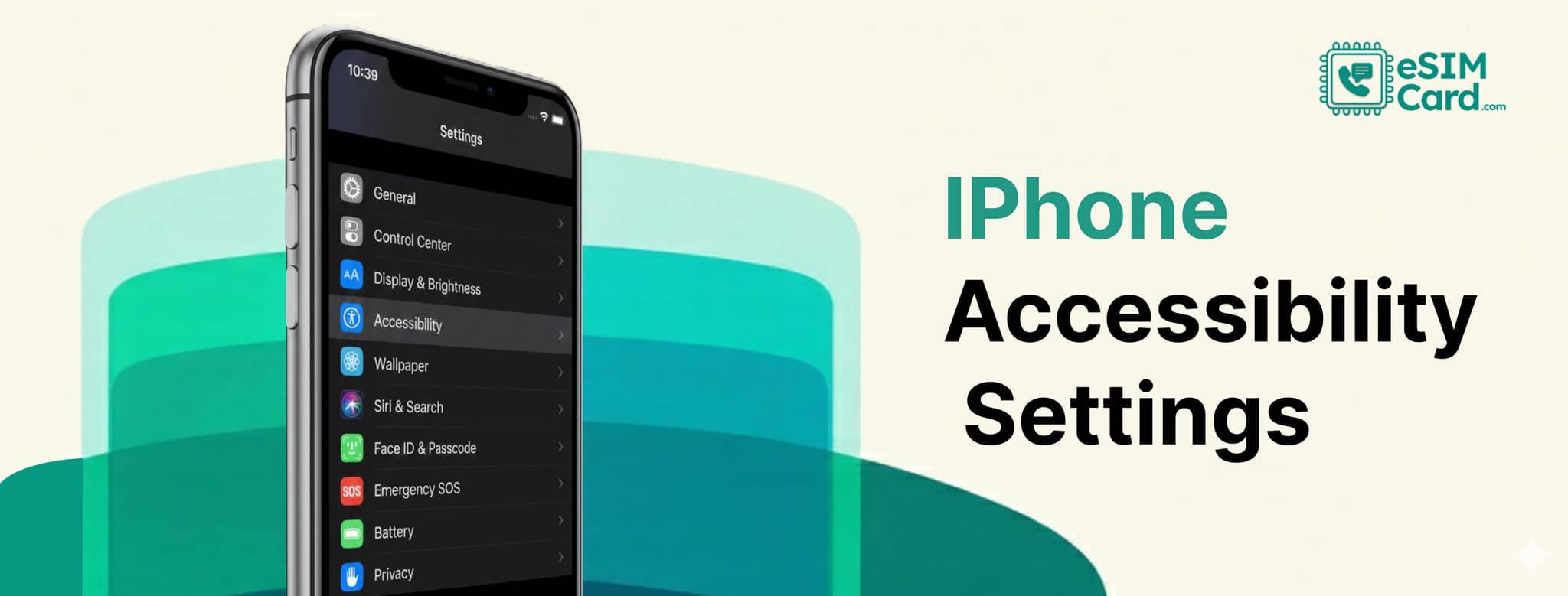
You can find and enable accessibility from the settings app.
- Open the Settings app.
- Move to Accessibility.
- Under this, you will find the four major categories, such as:
- Vision: Screen reading, magnification, and display tools.
- Hearing: Sound recognition, captions, hearing devices, and audio enhancements.
- Physical & Motor: Voice commands, Touch adjustments, and hardware alternatives.
- Cognitive & Learning: Assistive Access, guided controls, and Focus modes.
You can access the settings via accessibility shortcut or the control center.
iPhone Vision Accessibility Features
The following are some iPhone accessibility features for vision. The feature lets users hear the cooking recipe out loud or read it with zoomed-in tiny text.
VoiceOver
Voice over is the screen reader in the iPhone that speaks the content on the screen. You can use the gestures to navigate or use a connected braille display.
Zoom, Display & Text Size
You can zoom the tiny text on the screen to enlarge and view. Similarly, you can change your font size and make letters bigger across the system.
Motion
With the phone's user interface, you can slow down or pause the animation. Similarly, you can dim the display that uses flashlights.
Audio Descriptions
You can use the spoken descriptions of your favorite content in media.
Magnifier
Magnifier apps are also ideal for reading menus, street signs, or instructions in physical environments.
iPhone Physical and Motor Accessibility Features
iPhone provides motor accessibility features that are perfect for those on-the-go moments where you don’t have time to type out the perfect reply.
Hands-free
You can use your iPhone with features like Eye Tracking, Voice Control, Siri, or gesture-controlled features.
Dictation
Your iPhone can do typing for you via dictating your texts or emails.
AssistiveTouch
Using AssistiveTouch, you can change your touchscreen, replacing your gestures with others using the sounds.
Switch Control
You can use the External adaptive switches to control iPhone interactions. The feature is ideal for severely mobility-impaired people.
iPhone Audio Accessibility Features
The following features you can get in an iPhone for the hear disable people.
Hearing Devices and Sound Recognition
People can pair hearing aid sound processors with iPhones. Similarly, you can set your iPhone to listen for sounds, like a doorbell or alarm, and alert.
Real-Time Text
The feature lets you type to communicate when you are on a phone call. You can get Siri help for texting.
Subtitles & Captioning
You can enable the subtitle feature to get the real-time caption of the spoken audio. You can also customize these according to requirements.
Music Haptics
Haptic is the feature that lets you enjoy and understand the music by taps, texture, and vibrations.
iPhone Seech Accessibility Features
Enabling the following speech-related accessibility turns your iPhone into a personal assistant.
Live Speech and Personal Voice
If you have a severe speech disability, you can type on your phone what you want to say, and the phone will deliver your message, speaking it. You can also synthesize your sound.
Vocal Shortcuts
When you speak, the phone can also assist you in performing certain actions.
Assistive Access: The Most Powerful Accessibility Tool
iPhone has a transformative feature called Assistive Access, ideal for users with
cognitive disabilities or age-related usability challenges.
Benefits of Assistive Access
- It ensures that accidental settings changes in your phone are prevented.
- It restricts the phone to only essential apps.
- Shows a simple and easy-to-use keyboard and layouts.
Here is how you can set up the settings on your iPhone.
- Open Settings and move to Accessibility.
- Click the Assistive Access.
- Select essential apps and customize display size.
Build Your Own Accessibility Stack
Combining different features, you can create a customized experience to improve comfort and productivity.
Senior Vision Stack:
- Large Text + Zoom + Magnifier + Spoken Content
Hearing Stack
- Hearing Devices + Live Listen + Sound Recognition
Mobility Stack
- Voice Control + AssistiveTouch + Switch Control
Cognitive Disability Stack
- Assistive Access + Guided Access + Focus Mode
iPhone vs Android Accessibility
Let's compare which device has advanced accessibility tools for assistance.
eSIM & Accessibility: Does eSIM Help?
eSIM contributes to enhancing accessibility support on iPhone. With an eSIM-compatible phone, users don’t need to handle or switch the physical SIM cards. It is helpful for the impaired people to stay connect worldwide using a single SIM in the phone.
Embedded SIM offers remote QR code activation without visiting the carrier's store physically. The technology with dual connection ensures real-time accessibility tools such as Live Captions or emergency calling.
An iPhone with an eSIM card is easy to set up and use with network security. You can use the cellular data connection for location tracking, video captions, Voice Control updates, and hearing device streaming.
If you are new to eSIM, you might have the question about where to buy an eSIM and what the best eSIM is for you. Let's get the answer.
eSIM Card: A Reliable Global eSIM Carrier
eSIM Card is a trustworthy global eSIM provider that offers eSIM data plans for 200+ countries. Why eSIM Card stand out from other carriers? The provider offers eSIM data-only and data, voice, and text plans.
- Data-only plans: Specified to provide the data only.
- Data, voice, and text plan: Plan incude calls and text services with data.
Each country's eSIM offers unlimited and limited data, which you can buy according to requirments. Moreover, getting your data plan, you can enjoy the following features.
- Remote QR code activation.
- Fast network connection.
- No data roaming charges or hidden fees.
- Top-up or plan refill.
- Active customer support services.
Conclusion
iPhone accessibility settings make it possible for the disable people to communicate, work, and connect without barriers. Features like Assistive Access, captions, voice commands, and eSIM connectivity transform your complex iPhone system into a standard smartphone.
The tools let you navigate the iPhone confidently, perform actions, and create a device experience according to your needs.
FAQs
How can seniors navigate an iPhone more easily?
Seniors can use Zoom magnification, highlighted button, spoken content, and Assistive Access to navigate an iPhone easily.
How do I turn accessibility settings on or off quickly?
You can use the accessibility shortcut or use the back tap gesture to enable or disable the accessibility features instantly.
Are accessibility features available on all iPhone models?
The modern iPhones support the accessibility features. However, some features like Assistive Access, Live Captions, and Voice Control require updates.