
Emma Sky
04 Aug 2026
Ecuador SIM Card: Best Prepaid SIM & eSIM Options
Landing in Ecuador without mobile data gets annoying fast. You may need Google Maps before leaving Quito airport, WhatsApp to message your hotel, or internet access to check a bus ticket.
Using your home SIM may work, but international roaming can get expensive quickly. Most travelers have two practical choices.
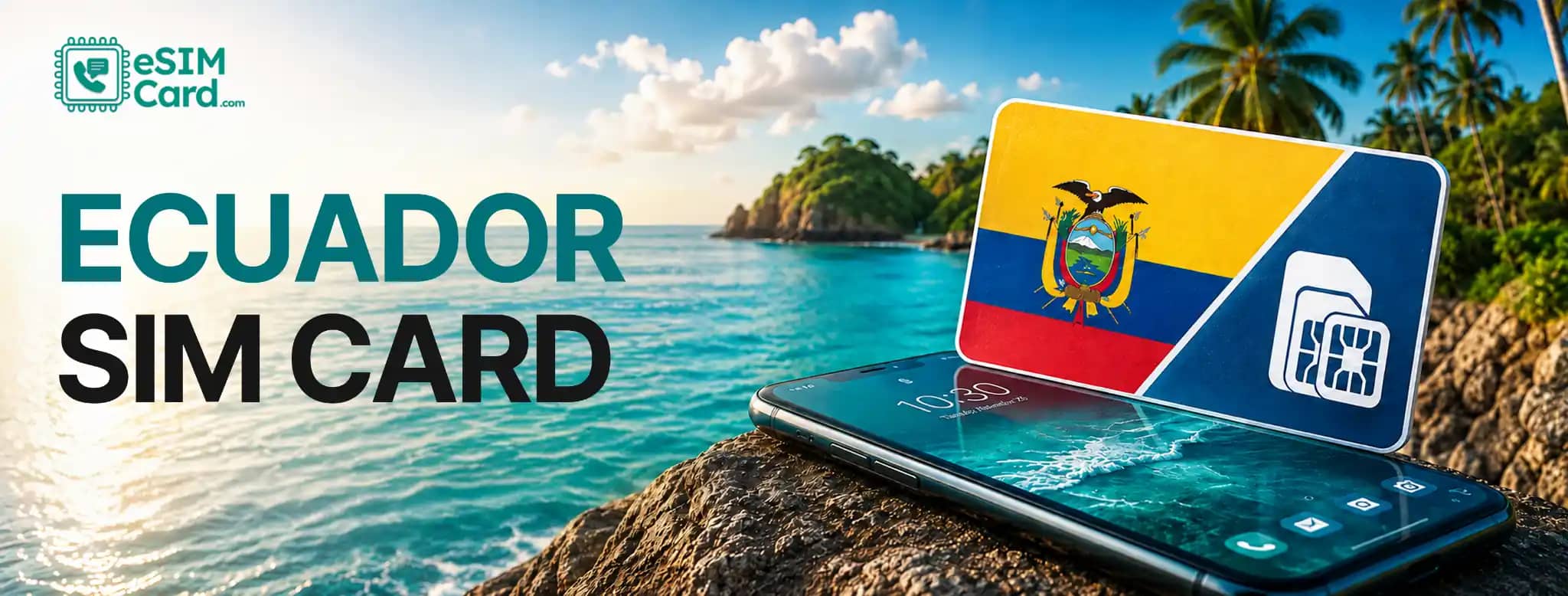
You can buy an Ecuador SIM card from a local operator such as Claro, Movistar or CNT. You can also install an Ecuador eSIM before departure and use mobile data after arrival.
A local prepaid SIM makes sense when you need an Ecuadorian number or plan to stay for several weeks.
An eSIM is usually easier when you mainly need data and don't want to spend your first afternoon finding a mobile shop.
Both physical SIM cards and eSIMs connect your phone to a mobile network. The difference is that an eSIM installs digitally instead of using a removable plastic card.
In this guide, you'll compare physical SIM cards and eSIMs for Ecuador, including local operators, tourist requirements, coverage, data options and where to get connected.
4.9

Highly Rated
Based on 500,000+ customer reviews

Trusted worldwide
Over 1 million travelers across the globe have trusted us

Travel Friendly
No swaps, global connectivity ensured
What is the best SIM card for Ecuador?
The best SIM card for Ecuador depends on your route, trip length, budget and whether you need a local number.
Claro, Movistar and CNT are the main names travelers will see. Ecuador's telecommunications regulator, ARCOTEL, identifies CONECEL as Claro, OTECEL as Movistar, and CNT EP as mobile operators in the country.
A local tourist SIM is worth considering when you need local calls or expect a longer stay. A travel eSIM works better for many short-term visitors who mainly want mobile data.
Someone spending three months in Ecuador may prefer a local prepaid line. Someone visiting Quito and the Galápagos for ten days may care more about having data ready after landing.
Travelers visiting Ecuador as part of a multi-country trip can consider a Latin America eSIM that provides mobile data across Ecuador and other supported destinations in the region.
Ecuador mobile operators: Claro, Movistar and CNT
Ecuador's local mobile market includes Claro, Movistar and CNT. ARCOTEL records identify CONECEL S.A. with Claro, OTECEL S.A. with Movistar, and CNT EP as mobile service providers.
Before buying any prepaid data bundle, compare the operator's current packages and its mobile network coverage map for your route.
Claro Ecuador
Claro operates through CONECEL S.A. in Ecuador. Its prepaid services are an option for tourists who prefer a physical SIM and local mobile service. Don't pick a package based only on the number of gigabytes.
Check its validity too. A 5GB bundle lasting seven days may be worse for a three-week trip than a smaller package with longer validity.
Coverage also deserves attention when your itinerary extends beyond Quito or Guayaquil. Mountain roads, rural areas and remote coastal regions can behave differently from city centers.
Movistar Ecuador
Movistar operates through OTECEL S.A. in Ecuador. Travelers looking for an Ecuador prepaid SIM can compare Movistar's current data packages, validity periods, and registration requirements with Claro and CNT.
Think about where you'll actually use it. Someone spending most of a trip in major cities has different coverage priorities from a traveler driving toward the Amazon or moving through the Andes.
CNT Ecuador
CNT EP is another local mobile provider and can be considered when comparing Ecuador SIM card options.
ARCOTEL has monitored mobile service quality across locations including Cuenca, Loja and Macas. That reinforces an important point: network experience can change from one area to another.
Check coverage for your planned destinations before choosing any operator simply because its prepaid package looks cheaper.
How much does an Ecuador SIM card cost?
Ecuador SIM card prices vary by provider, package size, and validity.
Local prepaid offers also change. That makes a fixed price table risky because a promotion shown today may disappear before your trip.
Ecuador uses the US dollar, which makes local price comparison straightforward for many international visitors.
Rather than comparing only the starter SIM cost, compare the full package.
A very cheap starter SIM isn't automatically the cheapest option. You still need to pay for mobile data. Check the total cost of the SIM, data allowance and validity before deciding.
For current local pricing, use the official Claro, Movistar and CNT channels rather than an old third-party price list.
Where can you buy a SIM card in Ecuador?
You can buy a physical prepaid SIM after arriving in Ecuador.
The best place depends on how quickly you need data and how much help you want with registration.
Quito Airport
Buying mobile service near Quito airport can make sense when you need internet immediately.
Maybe your hotel sent directions through WhatsApp. Maybe you need Maps before getting into a taxi. Having data at that point is genuinely useful.
Airport convenience can limit your ability to shop around, though. If Wi-Fi is working and you're staying in Quito, you can wait until you reach the city and compare more options.
Guayaquil Airport
The same idea applies when landing in Guayaquil. An airport SIM can get you online quickly if you're leaving the city straight away. Travelers staying overnight can take more time to compare plans later.
Don't buy a package only because the seller calls it a tourist SIM. Check the data amount, validity, activation status, and whether it includes a local number.
Official mobile operator stores
An official Claro, Movistar or CNT store is often the easiest place to buy and register a local SIM.
Staff can explain the current packages and help with activation if your phone doesn't connect immediately. This is useful when APN settings, SIM registration or device compatibility become confusing.
Convenience stores and mobile shops
Smaller mobile stores may also sell SIM cards and top-ups. Ask exactly what you're getting before paying. Confirm the package size, validity and registration status.
A cheap SIM sitting on a shelf isn't useful until it works in your phone.
What do tourists need to buy a SIM card in Ecuador?
Claro allows foreign visitors to activate a Claro SIM using a passport, either through its specified remote process or at a customer service center.
Travelers should carry their passport when buying a local prepaid SIM in Ecuador.
Registration requirements can change, so confirm the latest rules with the operator. Your phone should also be carrier unlocked.
A locked device may reject an Ecuadorian SIM even when the hardware supports the correct network bands.
Before traveling, check these four things:
- Your phone is carrier unlocked
- Your device supports the required mobile network bands
- You have your passport or accepted identification
- You have a working payment method
You may also see IMEI mentioned when checking device or network information. IMEI is the unique identification number assigned to your phone. You can usually find it under your phone's About section or by dialing *#06#.
Ecuador eSIM: an alternative to a physical SIM
Don't need an Ecuadorian phone number? An eSIM can remove several steps from getting connected.
You don't have to remove your home SIM, find a mobile shop, or keep a tiny plastic card somewhere safe.
A travel eSIM can be purchased before departure and installed while you still have reliable Wi-Fi.
For example, travelers can purchase an Ecuador eSIM from eSIMCard before arriving. The current Ecuador page offers fixed-data and unlimited options and lists Claro Ecuador as the supported network for displayed plans.
The listed packages support 2G, 3G and 4G connectivity, including tethering and mobile hotspot. The service is data-only, so the current plans don't include regular voice minutes, SMS, or an Ecuadorian phone number.
The live product page says the eSIM can be delivered through email or the app and doesn't require ID or eKYC. That setup fits travelers who care more about data than having a local number.
Ecuador SIM card vs eSIM: which should you choose?
A physical SIM and eSIM can both keep you connected in Ecuador. Your priorities decide which one makes more sense.
Choose a local SIM when you need an Ecuadorian number, expect a longer stay, or want to compare domestic prepaid prices.
Choose an eSIM when you mainly need mobile internet and prefer getting set up before landing.
Compatible phones let you use an eSIM and a regular SIM at the same time, allowing your home SIM to remain installed while the travel eSIM handles mobile data.
That can be handy for banking verification messages or other accounts tied to your usual number.
How much mobile data do you need in Ecuador?
Understanding how much data you need for travel depends more on what you do online than simply how many days you are staying.
Google Maps and WhatsApp use far less data than video streaming, TikTok, or hours of laptop tethering. Use these figures as planning estimates rather than guaranteed consumption.
Maps usually aren't the problem. Video is. YouTube, TikTok, Instagram Reels and video calls can drain a small allowance quickly. Using your phone as a hotspot for a laptop can push usage even higher.
Travelers who mainly use hotel Wi-Fi may only need a small fixed package.
For heavier use, eSIMCard currently lists Ecuador options from 1GB through higher fixed-data packages as well as unlimited plans.
Read the fair-use details before choosing unlimited data. The current product information says unlimited bundles can provide a daily full-speed allowance followed by reduced-speed data, with the allowance resetting every 24 hours.
What is mobile coverage like in Ecuador?
Mobile connectivity is generally easier around major population centers than in remote parts of Ecuador.
Quito, Guayaquil and Cuenca shouldn't be treated the same as an Andean mountain road, an Amazon route or a boat trip around the Galápagos.
ARCOTEL monitors mobile service from CONECEL, OTECEL and CNT in different areas of the country, which shows why network quality needs to be considered locally rather than as one nationwide number.
Coverage can also be affected by distance from a tower, terrain, network congestion, buildings, and the frequency bands supported by your phone.
Travelers considering Movistar can check the official Movistar coverage map by province, road, location and network technology.
Before heading somewhere remote, download useful information offline. Google Maps lets you save map areas, while airline and hotel apps can often store reservations locally.
Mobile coverage in the Galápagos Islands
Don't expect mobile data in the Galápagos to feel exactly like central Quito.
Santa Cruz, San Cristóbal and Isabela include populated areas, but a signal that works around town may disappear during remote excursions or boat trips.
Puerto Ayora on Santa Cruz and Puerto Baquerizo Moreno on San Cristóbal are very different environments from isolated beaches or open water. Avoid treating any Galápagos SIM as a guarantee of constant coverage.
Before leaving a connected area, save:
- Offline maps
- Hotel and accommodation addresses
- Boarding documents
- Tour confirmations
- Flight details
- Emergency contact information
A screenshot stored on your phone can be more useful than a cloud document when there's no signal.
How to use an eSIM in Ecuador
Set up your eSIM before you're standing beside the baggage carousel with weak airport Wi-Fi.
Start by confirming that your phone is carrier unlocked and supports eSIM. You can check your phone before purchasing. The compatibility page includes Apple, Samsung, Google Pixel, and other supported devices.
After purchasing your plan, you can install an eSIM with a QR code or enter the manual setup details supplied with your order.
eSIMCard's current Ecuador page supports both QR and manual installation. It states that displayed packages begin their validity when the first byte of data is consumed.
After arriving:
- Turn on the Ecuador eSIM.
- Select it as your mobile data line.
- Follow the provider's instructions for data roaming.
- Keep mobile data roaming off on your home SIM.
- Test the connection before leaving reliable Wi-Fi.
Don't delete the eSIM profile during your trip unless support tells you to. Some eSIM profiles can't simply be installed again using the same QR code. You can also use the eSIMCard app to buy and manage eSIM plans.
How to check if your phone supports eSIM
Always check eSIM compatibility before purchasing a plan. A phone can look almost identical to another model but have different eSIM support because of its region or carrier configuration.
Check eSIM support on iPhone
Open:
- Settings > Cellular
- Settings > Mobile Service
Look for Add eSIM or a similar option.
Apple introduced eSIM support across many iPhone models beginning with the iPhone XS and XR generation, but regional differences can apply. The safest approach is checking your exact model number against a current compatibility list.
Check eSIM support on Samsung and Android
Android menu names vary.
- On many Samsung Galaxy phones, go to:
- Settings > Connections > SIM Manager
Look for an option to add an eSIM.
- On Google Pixel devices, SIM controls are usually found under:
- Settings > Network & Internet
Don't rely only on a product family such as Galaxy S or Pixel. Check the exact model and sales region. Hardware and carrier versions can differ.
How to avoid roaming charges in Ecuador
To avoid roaming charges, you must configure both your travel eSIM and your home SIM correctly.
Your home line can still connect to a foreign mobile network if its data settings allow it.
Before using the travel connection, turn off Data Roaming for your primary SIM. Then select the Ecuador SIM or eSIM as the phone's cellular data source.
Dual-SIM users should also check Cellular Data Switching, Mobile Data Switching, or the equivalent setting on their device.
Turn it off when you don't want your home line taking over if the travel connection weakens. You can keep your normal SIM active for OTPs or verification texts when your carrier permits it.
Check your home carrier's international terms before traveling. Incoming calls and messages can be treated differently from mobile data.
Which option makes the most sense for your Ecuador trip?
A local Ecuador SIM is a practical choice when you need a local number, plan to stay for several weeks, or prefer buying mobile service directly from an Ecuadorian operator.
An eSIM makes more sense when your priority is getting online without visiting a store or replacing your physical SIM.
For a compatible phone, you can buy an Ecuador eSIM before departure and install it while you still have reliable internet.
Pick your data allowance based on how you actually use your phone. There's little value in paying for 20 GB when WhatsApp and Maps are all you'll use.
Conclusion
Choosing between an Ecuador SIM card and an eSIM depends on your trip length, data needs, and whether you need a local phone number.
Claro, Movistar and CNT are the main local options, while a travel eSIM offers a convenient way to get mobile data without visiting a store.
For short trips, an eSIM is often the simpler choice because you can install it before arrival. For longer stays or local calling, a prepaid Ecuador SIM may be more practical.
Always check device compatibility, current coverage, and plan validity before choosing.
FAQs
Can tourists buy a SIM card in Ecuador?
Yes, tourists can easily buy a prepaid SIM card in Ecuador with a valid passport or accepted ID. Official Claro, Movistar, and CNT stores usually provide the easiest registration and activation.
Do I need a passport to buy an Ecuador SIM card?
Yes, most local mobile operators require a passport or valid identification to register and activate a prepaid SIM card for tourists.
How much does a SIM card cost in Ecuador?
Ecuador SIM card prices vary by operator, data package,e and validity period. Compare the total cost of the SIM and prepaid data bundle before buying.
Can I buy a SIM card at Quito Airport?
Yes, you can buy a SIM card near Quito Airport, although plan options may be more limited than in official mobile operator stores within the city.
Which SIM card is best for a short trip to Ecuador?
For a short trip, a travel eSIM is often the easiest option because you can set it up before arrival. A local prepaid SIM is better if you need an Ecuadorian phone number.
Does Ecuador have eSIM?
Yes, Ecuador supports eSIM, allowing compatible unlocked phones to connect using a digital mobile plan without replacing a physical SIM.
Should I buy an eSIM before traveling to Ecuador?
Yes, buying an eSIM before your trip lets you install it in advance and access mobile data soon after arriving in Ecuador.
Can I use WhatsApp with an Ecuador eSIM?
Yes, WhatsApp works normally over mobile data, so you can keep using your existing account without changing your phone number.
Can I keep my normal SIM while using an Ecuador eSIM?
Yes, if your phone supports Dual SIM, you can use the Ecuador eSIM for data while keeping your home SIM active for calls or verification texts.
Does an Ecuador eSIM include a phone number?
No, most travel eSIMs are data-only and do not include a local phone number, voice calls, or SMS.